 Happy Pixels Lab
HappyPixelsLab Blog
UI/UX Best Practices for Mobile Apps
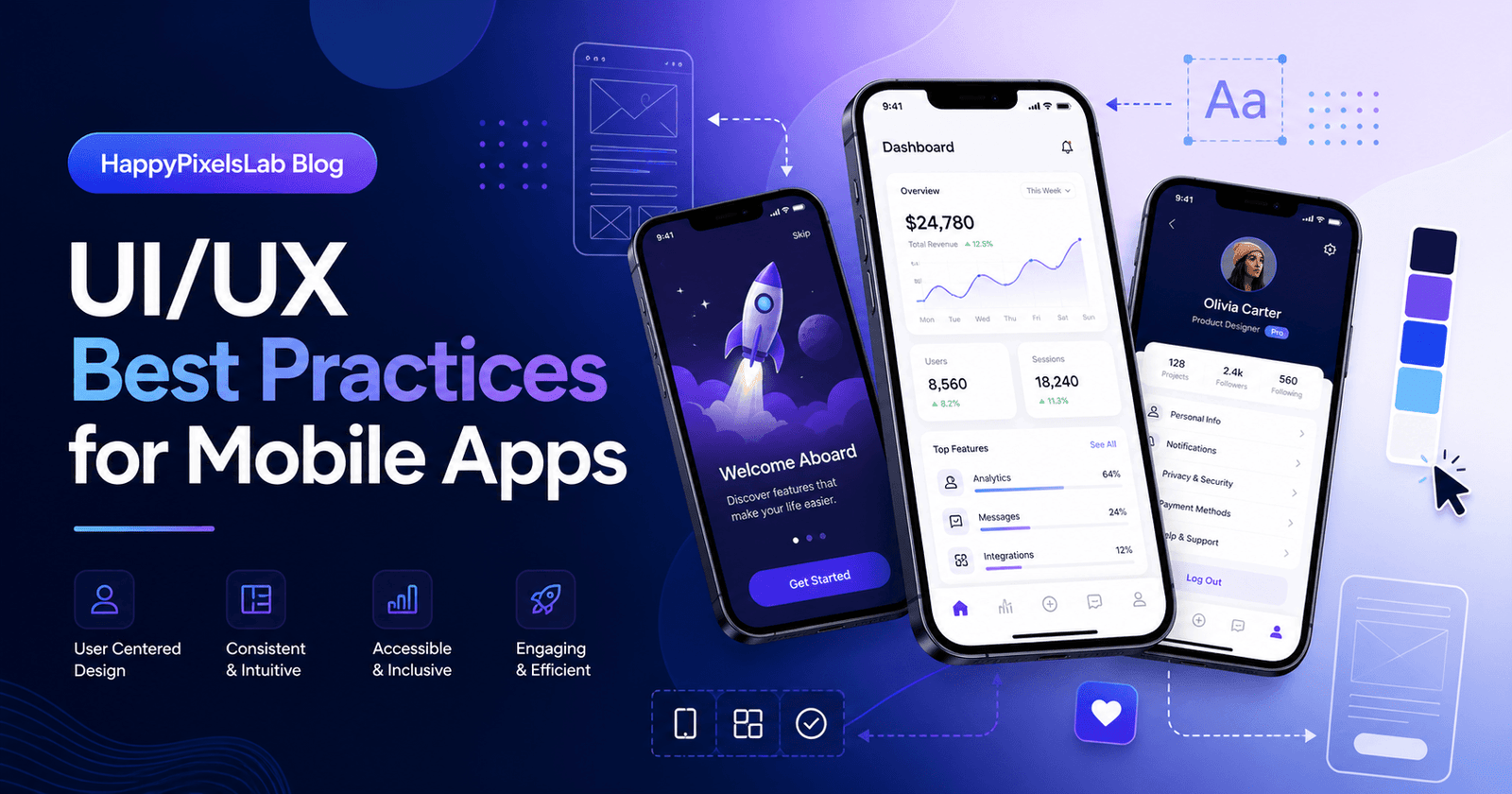
UI/UX Best Practices for Mobile Apps
Mobile apps have become one of the most important ways people interact with brands, services, businesses, and digital products. Whether it is an eCommerce app, booking app, learning platform, finance app, fitness app, social app, or business tool, users expect the experience to be fast, simple, beautiful, and reliable.
A good mobile app is not only about attractive screens. It is about how easily users can understand the app, complete actions, find information, trust the interface, and return again. This is where UI and UX design play a major role.
At HappyPixelsLab, we believe that a successful mobile app should combine clean visual design, smooth navigation, strong performance, accessibility, and business-focused user journeys. In this guide, we will explain the most important UI/UX best practices for mobile apps that can help improve engagement, retention, and conversions.
What Is UI/UX Design in Mobile Apps?
UI, or user interface, is the visual part of the app. It includes colors, typography, buttons, icons, spacing, cards, forms, images, animations, and layouts.
UX, or user experience, is how the app feels when someone uses it. It includes navigation flow, loading speed, screen structure, onboarding, error handling, accessibility, and the overall ease of completing a task.
For example, a mobile app can look beautiful but still provide a poor experience if users cannot find the right button, understand the next step, or complete a purchase easily. Strong mobile app design requires both UI and UX to work together.
Why UI/UX Matters for Mobile App Success
Users decide very quickly whether they want to continue using an app. If the app feels confusing, slow, outdated, or difficult to use, they may uninstall it or move to a competitor. Good UI/UX design helps create a positive first impression and keeps users engaged for longer.
Well-designed mobile app UI/UX can help businesses:
- Improve user retention
- Increase app engagement
- Reduce uninstall rates
- Improve sign-ups and purchases
- Build trust and brand credibility
- Make complex features easier to use
- Improve customer satisfaction
In short, mobile app design is not only a creative decision. It is also a business growth decision.
1. Start with Clear User Goals
Before designing any mobile app screen, it is important to understand what users want to achieve. Every app should be designed around real user goals, not only business requirements.
Ask questions like:
- Who will use this app?
- What problem does the app solve?
- What action should users complete first?
- Which features are most important?
- Where can users get confused?
For example, if you are designing a food delivery app, the main user goal is not just browsing restaurants. The real goal is to quickly order food with minimum effort. The app experience should support that goal from the home screen to checkout.
2. Keep the Mobile App Interface Simple
Simplicity is one of the most important UI/UX best practices for mobile apps. Mobile screens are small, so every element must have a purpose.
A simple interface helps users focus on the most important action. Avoid unnecessary text, too many buttons, heavy animations, cluttered layouts, and confusing icons.
To keep your mobile app UI clean:
- Use clear headings
- Keep one main action per screen
- Use enough white space
- Group related content together
- Avoid showing too many choices at once
- Use familiar icons and labels
The best mobile app designs often feel effortless because users do not need to think too much. They simply understand what to do next.
3. Design a Strong First-Time User Experience
The first few minutes inside an app are very important. If users do not understand the value of the app quickly, they may leave.
A strong onboarding experience should introduce the app clearly and help users take the first meaningful action. Avoid long onboarding screens that explain everything at once. Instead, guide users step by step.
Good onboarding can include:
- A short welcome screen
- Simple benefit-driven messages
- Permission requests at the right time
- Quick account creation options
- Progress indicators
- Personalization questions when useful
For example, instead of asking for notification permission immediately, explain why notifications are useful and request permission when the user reaches a relevant moment.
4. Use Clear and Consistent Navigation
Navigation is one of the most important parts of mobile app UX design. Users should always know where they are, where they can go, and how to return.
Common mobile navigation patterns include bottom navigation bars, tabs, drawers, search bars, and floating action buttons. The right choice depends on your app structure.
For most modern mobile apps, bottom navigation works well when there are three to five main sections. It keeps important areas easy to reach with one hand.
Best practices for mobile navigation:
- Use short and clear labels
- Keep important actions easy to access
- Do not hide core features too deeply
- Use active states to show the current section
- Make the back behavior predictable
- Keep navigation consistent across screens
Good navigation reduces frustration and helps users explore the app with confidence.
5. Make Buttons and Touch Targets Easy to Tap
Mobile apps are used with fingers, not a mouse. Buttons, icons, cards, and form fields should be large enough to tap comfortably.
If touch targets are too small or placed too close together, users may tap the wrong item. This creates frustration and makes the app feel unpolished.
To improve touch usability:
- Use large and readable buttons
- Keep enough spacing between tap areas
- Place primary actions where users can easily reach them
- Avoid tiny icons without labels for important actions
- Make selected and disabled states clear
A mobile app should feel comfortable to use on different screen sizes, from compact phones to large devices.
6. Prioritize Fast Loading and Smooth Performance
Performance is a major part of user experience. Even a beautiful mobile app can fail if it loads slowly, freezes, crashes, or responds late.
Users expect apps to feel instant. Slow screens, broken images, delayed buttons, and repeated loading indicators can reduce trust.
Performance-focused UX improvements include:
- Use skeleton loading states instead of blank screens
- Optimize images and videos
- Reduce unnecessary animations
- Cache important content when possible
- Show clear loading, empty, and error states
- Make buttons respond immediately after tap
A smooth app experience makes users feel that the product is reliable and professionally built.
7. Use Readable Typography
Typography has a direct impact on mobile app usability. If text is too small, too light, too crowded, or poorly spaced, users may struggle to read the content.
Good mobile typography should be clean, readable, and consistent. Use font sizes that work well on small screens and maintain a clear hierarchy between headings, subtitles, body text, captions, and buttons.
Typography best practices for mobile apps:
- Use clear heading styles
- Keep body text easy to read
- Avoid too many font families
- Use proper line spacing
- Maintain strong contrast between text and background
- Do not rely only on color to show important information
Readable typography improves accessibility and gives the app a more premium feel.
8. Build a Consistent Visual Design System
A design system helps keep the mobile app consistent across all screens. It includes colors, typography, buttons, icons, cards, spacing, shadows, components, and layout rules.
Without a design system, different screens may look disconnected. This can make the app feel less professional.
A strong mobile app design system should define:
- Primary and secondary colors
- Button styles
- Text styles
- Card layouts
- Input fields
- Icon usage
- Spacing rules
- Dark mode and light mode behavior
Consistency improves trust. When users understand one part of the app, they can easily understand the rest.
9. Design for Accessibility
Accessibility means designing the app so more people can use it comfortably, including users with visual, motor, hearing, or cognitive limitations.
Accessible design is not only good for inclusivity. It also improves the overall user experience for everyone.
Important accessibility practices include:
- Use strong color contrast
- Support larger text sizes
- Add labels for icons and buttons
- Avoid using color as the only indicator
- Make forms easy to understand
- Provide clear error messages
- Keep animations gentle and purposeful
An accessible mobile app reaches more users and creates a more thoughtful brand experience.
10. Create Better Forms and Input Experiences
Forms are common in mobile apps, but they are also one of the biggest reasons users drop off. Long, confusing, or poorly designed forms can reduce conversions.
Whether users are signing up, booking a service, making a payment, or submitting a request, the form should be simple and easy to complete.
Mobile form best practices:
- Ask only for necessary information
- Use clear field labels
- Show helpful placeholder text
- Use the correct keyboard type for each field
- Show errors near the related field
- Use progress steps for long forms
- Make the submit button easy to find
A well-designed form can directly improve leads, sign-ups, bookings, and sales.
11. Use Microinteractions Carefully
Microinteractions are small design responses that happen when users interact with the app. Examples include button tap effects, success animations, swipe feedback, loading indicators, like animations, and notification badges.
These small details can make a mobile app feel more alive and polished. However, they should not slow down the app or distract users from the main task.
Use microinteractions to:
- Confirm an action
- Show progress
- Give feedback after a tap
- Make transitions feel smooth
- Add delight without creating confusion
The best microinteractions are subtle, fast, and meaningful.
12. Provide Clear Empty, Error, and Success States
Many apps focus only on the ideal screen, but real users also experience empty lists, failed network requests, form errors, payment failures, and loading delays.
These states should be designed carefully because they affect user trust.
For example, instead of showing “No data found,” a better message could explain what happened and what the user can do next.
Examples of better UX messages:
- Empty state: “No saved items yet. Explore recommendations and save your favorites here.”
- Error state: “We could not load this screen. Check your connection and try again.”
- Success state: “Your request has been submitted successfully. Our team will contact you soon.”
Helpful states make the app feel reliable even when something goes wrong.
13. Design for One-Handed Use
Many users operate mobile apps with one hand. Important actions should be easy to reach, especially on larger phones.
Place frequent actions in reachable areas and avoid putting important buttons only at the top of the screen. Bottom sheets, bottom navigation, sticky CTA buttons, and floating action buttons can help improve one-handed usability.
This is especially useful for apps that users open frequently, such as shopping apps, delivery apps, social apps, finance apps, and productivity apps.
14. Use Personalization Without Making the App Complicated
Personalization can improve mobile app engagement when used correctly. It helps users see content, products, services, or recommendations that are relevant to them.
Examples of useful personalization include:
- Recommended products
- Recently viewed items
- Saved preferences
- Location-based suggestions
- Personalized dashboards
- Smart search results
However, personalization should not make the app confusing. Always allow users to change preferences and control important settings.
15. Make Search and Filtering Easy
If your app contains a lot of content, products, services, articles, listings, or media, search and filtering become very important.
A strong search experience can help users find what they need quickly.
Best practices for app search:
- Place search where users expect it
- Show recent searches
- Support suggestions
- Use filters and sorting options
- Handle spelling mistakes when possible
- Show helpful empty search results
Good search UX reduces friction and helps users reach their goals faster.
16. Support Dark Mode and Light Mode Properly
Dark mode is now expected in many modern mobile apps. But dark mode should not be an afterthought. It must be designed properly.
A good dark mode should have comfortable contrast, readable text, visible icons, clear dividers, and properly adjusted brand colors.
Dark mode best practices:
- Avoid pure black backgrounds everywhere
- Use balanced surface colors
- Adjust shadows and borders
- Check all text contrast
- Test forms, cards, dialogs, and navigation
- Respect system default theme settings
When dark and light modes are both polished, the app feels more premium and user-friendly.
17. Use Trust-Building Design Elements
Trust is essential for mobile apps, especially when users share personal information, make payments, book services, or create accounts.
Trust-building UI elements can include:
- Clear privacy messages
- Secure payment indicators
- Verified badges
- Real testimonials
- Transparent pricing
- Clear contact options
- Professional visual design
Users are more likely to complete important actions when the app looks credible and communicates clearly.
18. Design for Retention, Not Only Downloads
Many businesses focus on app downloads, but retention is more important for long-term success. A user who downloads the app but never returns does not create much value.
Good UX can improve retention by making the app useful, enjoyable, and easy to return to.
Retention-focused UX ideas include:
- Personalized home screens
- Useful reminders
- Saved progress
- Favorites and wishlists
- Reward systems
- Simple re-engagement flows
- Fast access to recently used features
The goal is to make users feel that the app is worth opening again.
19. Test the App with Real Users
No design should be considered final without testing. Real users often interact with apps in unexpected ways. User testing helps identify confusing flows, missing information, difficult buttons, and broken experiences.
You can test your app by observing:
- Where users pause
- Which buttons they miss
- Which screens cause confusion
- Where users drop off
- How long it takes to complete a task
Even small usability tests can reveal major improvements.
20. Keep Improving After Launch
Mobile app UI/UX is not a one-time task. After launch, you should continue improving the app based on analytics, user feedback, reviews, support requests, and performance data.
Important post-launch UX improvements include:
- Fixing confusing flows
- Improving slow screens
- Updating outdated UI elements
- Testing new onboarding flows
- Improving conversion screens
- Optimizing push notification journeys
- Refining accessibility
The best mobile apps evolve continuously.
Common Mobile App UI/UX Mistakes to Avoid
Even experienced teams can make design mistakes that affect app performance and user satisfaction. Here are some common issues to avoid:
- Too many features on the home screen
- Unclear navigation
- Small buttons and tap areas
- Slow loading screens
- No proper empty or error states
- Inconsistent colors and typography
- Poor dark mode implementation
- Long and complicated forms
- Unclear call-to-action buttons
- Ignoring accessibility
A clean and user-focused app experience can help avoid these problems and create a stronger product.
Mobile App UI/UX Checklist
Before launching or redesigning a mobile app, use this quick UI/UX checklist:
- Is the main purpose of the app clear?
- Can users understand the home screen quickly?
- Is navigation simple and consistent?
- Are buttons easy to tap?
- Is the text readable on all screen sizes?
- Are loading, empty, error, and success states designed?
- Does the app work well in dark and light mode?
- Are forms simple and easy to complete?
- Is the app fast and smooth?
- Is the design accessible?
- Does the app encourage users to return?
- Has the app been tested with real users?
How HappyPixelsLab Helps with Mobile App UI/UX Design
At HappyPixelsLab, we create modern, user-focused digital experiences for businesses that want to look professional and grow online. Our mobile app design approach focuses on clarity, usability, brand identity, conversion, and long-term product improvement.
We can help with:
- Mobile app UI design
- UX research and user journey planning
- Wireframes and prototypes
- Android and iOS app interface design
- Design system creation
- Dark and light mode design
- App redesign and UX improvement
- Landing pages and websites for app promotion
Whether you are building a new mobile app or improving an existing one, strong UI/UX design can make your product easier to use, more trustworthy, and more valuable for your users.
Final Thoughts
Mobile app UI/UX design is about creating an experience that feels simple, fast, useful, and enjoyable. A successful app does not only look good. It helps users complete tasks smoothly and gives them a reason to return.
By focusing on clear navigation, readable design, accessibility, performance, onboarding, forms, personalization, and continuous improvement, businesses can create mobile apps that deliver better results.
If you want to design or improve a mobile app for your business, HappyPixelsLab can help you create a modern, professional, and user-friendly digital product.
Need a modern mobile app UI/UX design for your business? HappyPixelsLab can help you plan, design, and improve mobile app experiences that look professional and feel easy to use. Contact us today to discuss your app design project.